Mi Flora plant sensors: guides, integrations and answers
What the sensor measures, how to read it and what the numbers mean for your plants.

- Also sold as
- Flower Care and VegTrug Flora, the same sensor under other names
- Measures
- Soil moisture, light, temperature and soil fertility (nutrition)
- Connection
- Bluetooth Low Energy, around ten metres indoors
- Read with your phone
- The free Urban Jungle Care app for iOS and Android, or the manufacturer's Flower Care app
- Read without your phone
- Homey, Home Assistant and the MQTT bridge
- Battery
- One CR2032 coin cell that lasts many months
The Xiaomi Mi Flora is a plant sensor that sits in the pot and measures soil moisture, light, temperature and soil fertility. It is also sold as Flower Care and VegTrug Flora. It is the same sensor under several names.
Urban Jungle Care is an independent app and is not affiliated with Xiaomi or the maker of Flower Care. Mi Flora and Flower Care are their brand names. The sensor also works with the manufacturer's own Flower Care app.
Urban Jungle Care reads Mi Flora sensors over Bluetooth and compares every reading with the range that plant needs. When a value falls outside it, the app creates a plain task: water the plant, water less or move it to a brighter spot.
This page gathers everything on the site about Mi Flora: how to set up the sensor, what the readings mean and how Homey, Home Assistant or an MQTT gateway read your sensors when your phone is not nearby.
Four ways to read a Mi Flora sensor
Every way writes to the same Urban Jungle Care account and the same sensor history. You can combine them.
| Way | What you need |
|---|---|
| Urban Jungle Care app | An iPhone or Android phone within Bluetooth range of the sensor |
| Homey | Homey Pro or Homey Bridge with firmware 12.1.0 or newer |
| Home Assistant | Home Assistant 2025.4 or newer, with the sensors read by the xiaomi_ble integration |
| MQTT bridge | An MQTT broker, OpenMQTTGateway or Theengs Gateway, and Docker |
What a Mi Flora sensor measures
The sensor reports four readings plus its own battery. None of them has one good value for every plant. What matters is the value next to what that plant needs.
Soil moisture
The share of water in the soil, as a percentage. A snake plant is happy in the low tens of percent. A fern or calathea often wants more than forty percent.
Light
The brightness on the sensor, in lux. A sunny windowsill can reach tens of thousands of lux, while a spot deep in a room often stays in the low hundreds. The pattern over a few days says more than one reading.
Temperature
The air around the plant, in degrees Celsius. Most houseplants are comfortable between roughly 18 and 24 °C and dislike sudden swings.
Soil fertility
An estimate of the nutrients in the soil, measured as electrical conductivity (EC). A slow decline over weeks is normal. A very low value suggests feeding or repotting, a very high one salt build-up.
Mi Flora guides
Start with the setup, then learn what the readings and the moisture percentages mean for your plants.

Mi Flora (Flower Care): how to use your sensors
Put your Xiaomi Mi Flora and Flower Care sensors to work with Urban Jungle Care: connect over Bluetooth, read soil and light data, and get the right care task.
Read more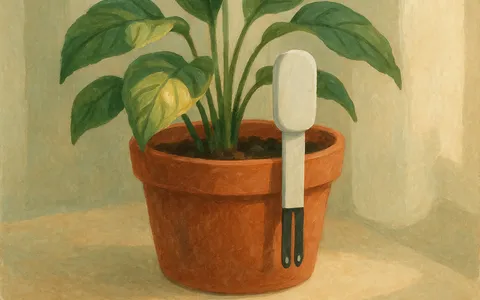
What your Mi Flora sensor readings mean
Soil moisture, light, temperature, and fertility: what each Xiaomi Mi Flora and Flower Care reading tells you, and how Urban Jungle Care turns it into care.
Read more
Soil moisture percentages: the ranges houseplants need
Soil moisture sensors show a percentage from bone dry to saturated, but the healthy range differs by plant. Learn the ranges and how to read the curve.
Read more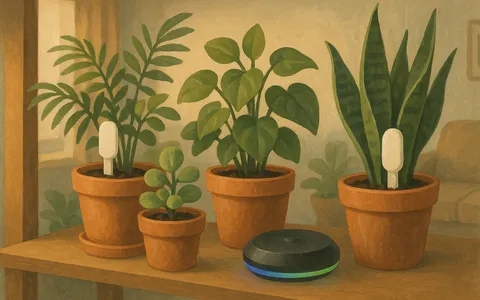
Keep your Mi Flora sensors updated with Homey
Let a Homey hub read your Xiaomi Mi Flora and Flower Care sensors and sync the readings to Urban Jungle Care, so your plants stay up to date on their own.
Read moreRead your sensors without your phone
A hub that is always on reads your sensors and sends every reading to your Urban Jungle Care account.


When a sensor does not show up or stops updating
Most problems come down to the battery, the permissions or the Bluetooth range.
- Fit a fresh CR2032 battery. Readings drift before a fading cell goes silent.
- Allow Bluetooth access when the app asks. On Android the app also needs location and the nearby devices permission to scan.
- The app recognises sensors that announce themselves as Flower care over Bluetooth. A sensor with another name does not show up.
- Bring the phone within a few metres of the sensor. Walls, floors and metal shelves shorten the range.
- Push the probe fully into moist soil. A sensor in a dry air pocket reports a thirsty plant that is not thirsty.
- Place a Homey centrally, not in a cupboard or a far corner, so it hears every sensor.

Questions about Mi Flora sensors
The Xiaomi Mi Flora plant sensor, also sold as Flower Care and VegTrug Flora. The app reads soil moisture, light, temperature and soil fertility from it over Bluetooth.
Yes. Reading sensors, care tasks and notifications need no subscription. With Premium, Homey and Home Assistant send readings every 15 minutes instead of once a day.
Let a hub read them for you. Homey reads them over Bluetooth, Home Assistant forwards the sensors its xiaomi_ble integration already reads and the MQTT bridge forwards readings from OpenMQTTGateway or Theengs Gateway. Every reading lands in the same Urban Jungle Care account.
As far as Bluetooth Low Energy reaches, which is around ten metres indoors. Walls, floors and large metal objects shorten that range.
A reading only means something next to what the plant needs. Twenty percent soil moisture is fine for a snake plant and far too dry for a fern. Urban Jungle Care compares each reading with the range that plant needs and creates a task when a value falls outside it.